



Loading

A customer hits their credit limit, and NetSuite stops the order. That part works. What happens next is the problem. Someone on your team pulls up the account, checks whether the limit is still right, decides whether to release the hold, and either re-enters a new number or hunts down the information to justify it. NetSuite told you there was a decision to make. It didn't make the decision, and it didn't give you what you needed to make it quickly.
The NetSuite ERP is the system of record for credit limits, holds, and customer balances, and it enforces the rules you set. But deciding what those rules should be, onboarding a new buyer, verifying who they are, and pulling the data behind a limit all happens somewhere else, usually across email, spreadsheets, and a credit bureau portal.
If you’re looking to reduce manual processes with NetSuite through an integration, it’s important to know what NetSuite handles natively, where its credit controls stop, and how to automate the approval work around it without giving up NetSuite as your system of record.
NetSuite's native credit tools do a specific job: They enforce credit limit preferences you've already set. You assign a credit limit on the customer record, and if a customer reaches that limit or has an overdue balance, NetSuite can restrict new sales transactions on credit until they pay down what they owe or you release the hold. You can also place a manual hold, which blocks new orders regardless of whether the limit has been reached.
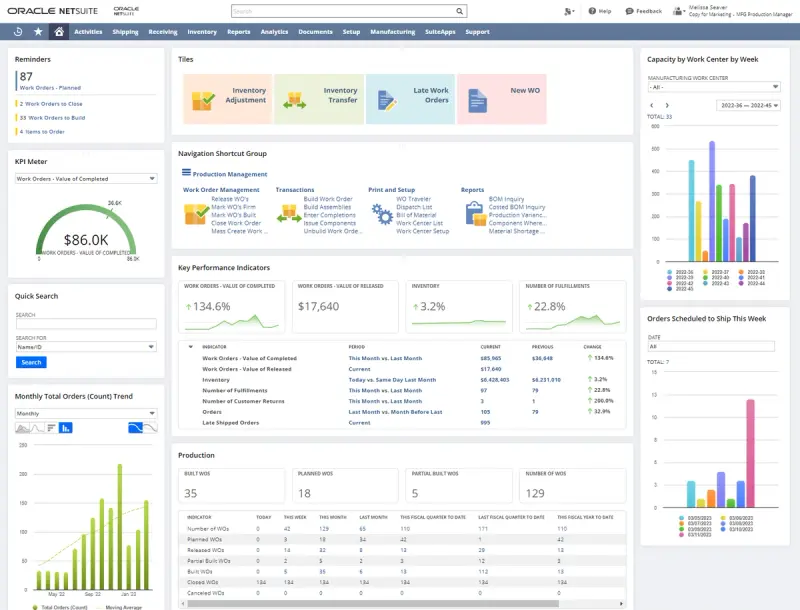
How strictly those controls are enforced depends on your Customer Credit Limit Handling preference:
Either way, the mechanism is the same. NetSuite checks the order against a number on the customer record and acts on it.
That's genuinely useful for guarding against over-extension on accounts you've already approved. What it doesn't do is decide who gets the limit in the first place, or what that limit should be.
The limit NetSuite enforces is only as good as the process that produced it, and that process is where the manual work piles up. Three credit control jobs in particular sit entirely outside the ERP.
A new buyer wants terms, so they fill out a credit application. For most NetSuite shops, that application is a PDF or a web form that lands in an inbox, gets keyed in by hand, and then has to be verified:
None of this happens in NetSuite. It happens in email threads, on Secretary of State websites, and in phone calls to references that may take days to call back. Half of credit managers require three or more references on applications for net terms, and reference response time is one of the biggest bottlenecks they report.
Once the application data is in hand, someone has to turn it into a number. That means pulling a bureau report, reading bank balances and liabilities, weighing the references, and applying your credit policy to land on a limit. Done manually, this is slow and inconsistent. The same applicant can get different answers from two reviewers, and the reasoning rarely gets documented in a way the next person can audit. NACM found that 43% of credit departments take one to two days to approve a new credit application, and the delay is almost entirely in this assessment work, not in NetSuite.
Say you've made the decision. Now the approved limit, the verified business details, and the new customer record all have to get into NetSuite accurately. Typed in by hand, this is the step where errors enter the system of record, such as:
Every manual keystroke between your decision and your ERP is a chance to corrupt the data NetSuite then enforces against.
To automate credit approvals, you’d handle intake, verification, and decisioning on a platform built for that work, then write the result back into NetSuite automatically. A well-rounded credit management platform integration can handle these initial tasks and leave NetSuite as the place your limits and balances live.
For example, Nuvo runs customer onboarding, not just credit applications, which is the distinction that matters here: A credit application is one part of getting a new buyer verified, decisioned, and set up in your ERP ready to order.
When choosing an integrating credit management platform, consider how the integration performs in a few essential tasks.
Look for a system that sets up branded digital applications instead of PDFs in an inbox. Digital applications simplify and speed up the verification process, funneling customer information into one entry point with automations built in for data collection. This mitigates common errors within a manual process and helps maintain a consistent approach.
Using digital applications, Nuvo verifies customer information as they submit it:
References are requested and collected automatically from a connected email inbox rather than chased by phone. By the time the application is submitted, the verification work that used to take days is already done.
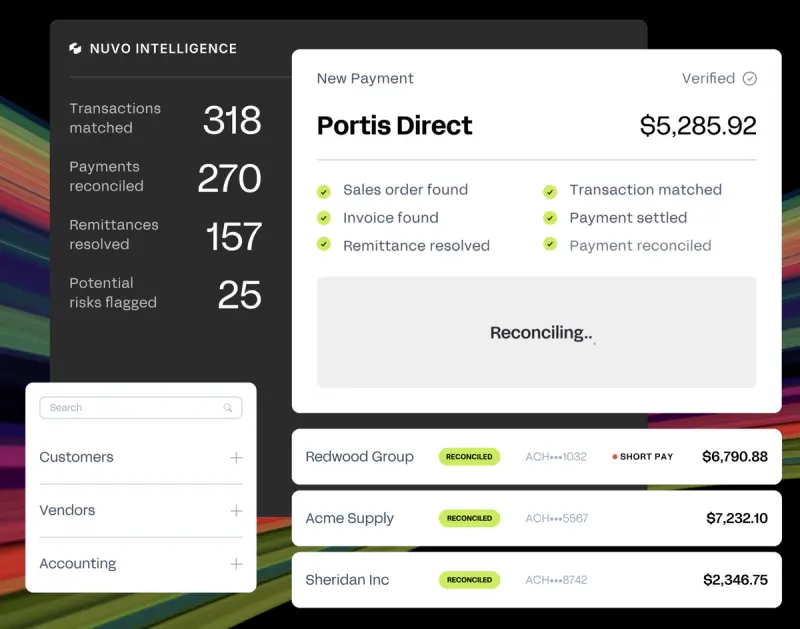
With verified data in hand, the decision can run on rules instead of on whoever happens to pick up the file. For instance, Nuvo pulls bureau reports at submission (NACM, Creditsafe, Experian, and Equifax are natively available), reads live bank balances and liabilities through a direct integration with more than 16,000 banks, and feeds those signals into a configurable scorecard you build around your own credit policy.
Low-risk applicants can be approved on the spot. Edge cases route to a review queue where Sales and Finance work the same record instead of emailing back and forth. The output is a documented, consistent decision and a limit you can defend.
Like any integration, be sure your chosen credit management platform communicates smoothly with NetSuite for a cohesive combination.
Nuvo's direct NetSuite integration onboards approved customers with a single click, writing the verified customer record and the approved credit limit field straight into NetSuite, which keeps it as the system of record. There’s no re-keying, no transposed EINs, and no duplicate accounts. The number NetSuite then enforces against is the exact number you approved, built on data that was verified at the source.
Artistic Tile, a high-end tile and stone distributor running on NetSuite, did exactly this. With Nuvo folded in, their Finance and Credit teams now see a customer's capacity to pay through live bank and liability data, and their propensity to pay through integrated bureau reports and automated trade references, all in a single profile the moment a buyer applies. Once they make a decision, the NetSuite integration onboards the approved customer with one click, which keeps high-integrity records in their system of record and lets the buyer start purchasing sooner.
Automating credit approvals keeps NetSuite exactly where it is and stops your team from doing by hand the work that should feed it automatically. NetSuite is where you keep your limits, holds, and balances and the record your sales orders check against, but what changes is everything upstream. The application gets verified instead of typed, the decision runs on rules instead of memory, and the approved limit flows into the cloud ERP clean instead of re-keyed.
That upstream automation is also where the rest of the order-to-cash process gets easier. With Nuvo’s accounts receivable, the same customer context established at onboarding carries into payment processing, cash application, and collections, with each part syncing bidirectionally back to the ERP. Matched payments and prioritized collections are all on one record rather than scattered across disconnected tools.
For a credit manager, the question to ask any platform is clear: Does it verify at intake, decide on rules you control, and write back to NetSuite without manual entry? If creditworthiness still gets assessed in a spreadsheet and the limit still gets typed into the customer record by hand, you've automated the form and nothing else.
With NetSuite as your system of record, trust Nuvo to handle onboarding, verification, and credit decisioning before writing approved limits and verified customer data straight back into the ERP. To see if Nuvo’s the answer for your organization, explore Nuvo’s customer onboarding and how it fits in your NetSuite environment.
NetSuite includes native credit limits and credit holds. You set a Customer Credit Limit Handling preference on the customer record, and NetSuite restricts new sales transactions on credit when a customer exceeds that limit or goes delinquent. You can also apply a manual hold to block orders. What NetSuite doesn't do natively is run the credit application, verify the customer, pull bureau and financial data, or decide what the limit should be. It enforces the limits you set, but the work of arriving at those limits happens outside the ERP.
You can’t fully automate credit approvals within NetSuite alone. You can build SuiteFlow workflows to route holds and approvals internally, but NetSuite has no native way to collect a digital application, verify a business against the IRS or Secretary of State, pull credit bureau reports, or score an applicant. Finance teams automate the approval itself by integrating a credit management platform that handles intake, verification, and decisioning, then syncs the approved limit and customer record back into NetSuite.
A credit platform syncs with NetSuite through a direct integration that writes data into NetSuite as the system of record. With Nuvo, once a credit decision is made, the approved customer is onboarded into NetSuite with a single click, pushing the verified customer record and approved credit limit into the ERP without manual re-entry. Nuvo's AR Suite extends this with bidirectional sync across the order-to-cash cycle, so open invoices, payment status, and balances stay current in both systems.